
Royal Casino Deposit & Withdrawal
Managing your balance is an important part of using Royal Casino. The payment section in the app provides options for adding money to the account and accessing withdrawal-related functions.
For users in Pakistan, the visible payment interface includes Easypaisa and JazzCash options. The deposit screen also provides a wallet number field, amount selection and a history option.
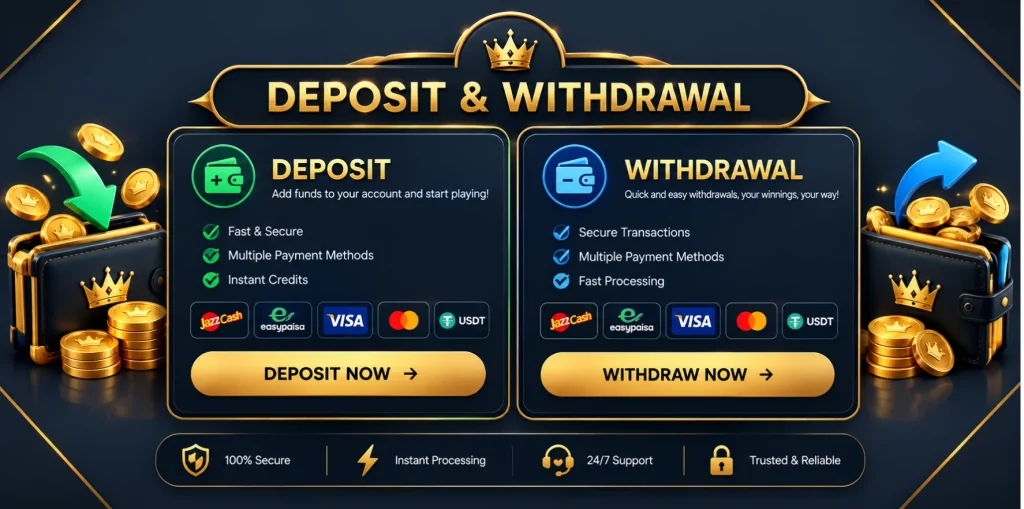
This guide explains the Royal Casino Deposit & Withdrawal process, what to check before confirming a transaction and what to do when a payment does not appear as expected.
Royal Casino Deposit
The deposit section is used when you want to add money to your Royal Casino account. The app shows different payment options, including Easypaisa and JazzCash.
Depending on the selected option, the payment screen can ask for wallet information and the amount you want to add. Check these details carefully before submitting the transaction.
How to Deposit in Royal Casino
The basic process is:
- Open Royal Casino and sign in to your account.
- Open the Deposit section.
- Select the available payment method.
- Enter the required wallet information.
- Choose or enter the amount you want to deposit.
- Check the payment details.
- Submit the transaction.
- Check your balance or transaction history after completing the payment.
The deposit screen also displays preset amounts, making it possible to select an amount instead of typing it manually.
Royal Casino Easypaisa Deposit
Easypaisa is one of the payment options shown in the Royal Casino deposit interface.
When using Easypaisa, carefully check the wallet information displayed on the payment screen before sending money. After completing the payment, return to the application and check whether the transaction has been reflected in your account.
Do not send money to a different number simply because someone provides it through an unofficial message.
Royal Casino JazzCash Deposit
JazzCash is also available in the payment section.
Select the relevant JazzCash option and follow the information displayed by the application. Before confirming the payment, compare the wallet details and amount carefully.
If the payment has been completed but the balance has not updated, check the transaction history before attempting another payment.
Deposit Amounts
The deposit screen displays several preset amounts, along with a field where the amount can be entered.
The visible interface includes amounts such as Rs.100, Rs.500, Rs.1,000 and Rs.2,000, with higher options also displayed.
The available amounts can change, so check the current deposit screen rather than relying on an old list.
Royal Casino Deposit History
The payment interface includes a History option. This can be useful when you want to check a previous transaction or investigate a payment that has not appeared in your balance.
If a deposit has been delayed, check the history first instead of immediately submitting the same payment again.
The app also displays a notice explaining that if too much time has passed, users can go to History and submit an appeal where applicable.
Royal Casino Withdrawal
Withdrawal is different from depositing because it involves requesting money to be sent from your account through an available payment method.
Before making a withdrawal request, check the information displayed in the withdrawal section carefully. Make sure the selected account or wallet details belong to you.
How to Withdraw from Royal Casino
The general withdrawal process is:
- Open your Royal Casino account.
- Go to the Withdraw section.
- Review the available withdrawal option.
- Enter the required information.
- Enter the withdrawal amount.
- Check the details carefully.
- Submit the withdrawal request.
- Keep the transaction information for your records.
The exact fields and options can depend on what is currently displayed in the application.
Withdrawal Not Received
If a withdrawal does not arrive when expected, avoid submitting multiple requests without checking the original transaction.
First, review the withdrawal history and confirm the details you entered. If the transaction is still pending or there is another issue, use the support option available in the application.
Keep any relevant transaction information available when contacting support.
Deposit or Withdrawal Failed
A failed payment can happen for different reasons. The first thing to check is whether the information entered was correct.
For a deposit, check the selected payment method, wallet details and amount. For a withdrawal, review the account or wallet information and the status of the request.
If money has already been sent, do not immediately repeat the transaction. Check the payment history first.
Check Payment Details Before Confirming
Take a few seconds to check the transaction before pressing the final button.
Look at:
- Payment method
- Wallet/account number
- Amount
- Transaction status
- Any instructions shown on the screen
This is especially important when using mobile wallets because sending money to the wrong account can create an unnecessary payment problem.
Keep Transaction Information
It is useful to keep a record of completed payments until the transaction has been reflected correctly.
If you need help with a pending or failed transaction, information such as the amount, payment method and transaction details can make it easier to explain the issue to support.
Royal Casino Deposit & Withdrawal FAQs
Conclusion
The Royal Casino Deposit & Withdrawal section gives users a place to manage account payments through the options currently displayed in the application. Easypaisa and JazzCash are shown in the payment interface, while transaction history can help when checking previous activity.
Always verify the payment method, wallet information and amount before confirming a transaction. If a payment is delayed or does not appear correctly, check its history and use the available support options instead of repeatedly submitting the same request.